Codex CLI
Codex stores MCP server config in ~/.codex/config.toml (or a project-scoped .codex/config.toml
for trusted projects).
Connect to a server (OAuth) — recommended
Section titled “Connect to a server (OAuth) — recommended”If someone — you, or someone in your household — is running the self-hosted server, this is the recommended way to connect: you log into YNAB with your own account instead of sharing a token. Point Codex at its URL instead of a command:
[mcp_servers.ynab]url = "https://<your-hostname>/mcp"Then start the login:
codex mcp login ynabThis opens the browser OAuth flow — you’ll log into YNAB and choose read-only or full access.
Alternate: stdio + Personal Access Token
Section titled “Alternate: stdio + Personal Access Token”No server to run, but a single token stands in for your own login — the right trade when you’re the only person using this.
codex mcp add ynab \ --env YNAB_TOKEN=your-personal-access-token \ --env YNAB_BUDGET_ID=last-used \ -- npx -y @redlinelabs/ynab-mcpOr add it to config.toml directly:
[mcp_servers.ynab]command = "npx"args = ["-y", "@redlinelabs/ynab-mcp"]
[mcp_servers.ynab.env]YNAB_TOKEN = "your-personal-access-token"YNAB_BUDGET_ID = "last-used"
See the Quick start for where to get a token.
What it looks like
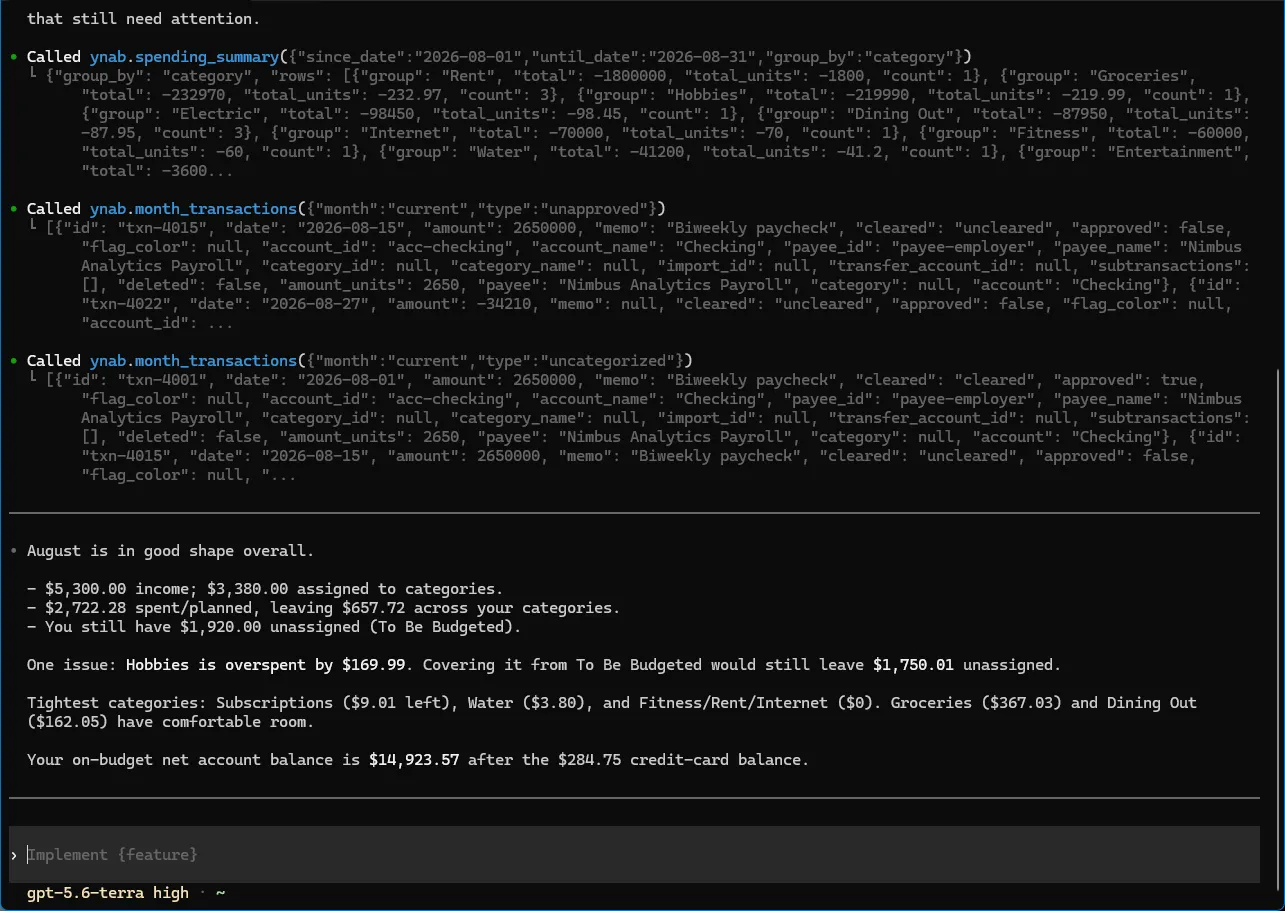
Section titled “What it looks like”A real Codex CLI session against demo mode — a fictional budget, no
credentials. The raw tool responses are visible, including the milliunit amounts and their
*_units siblings.