Claude Code
Connect to a server (OAuth) — recommended
Section titled “Connect to a server (OAuth) — recommended”If someone — you, or someone in your household — is running the self-hosted server, this is the recommended way to connect: you log into YNAB with your own account instead of sharing a token.
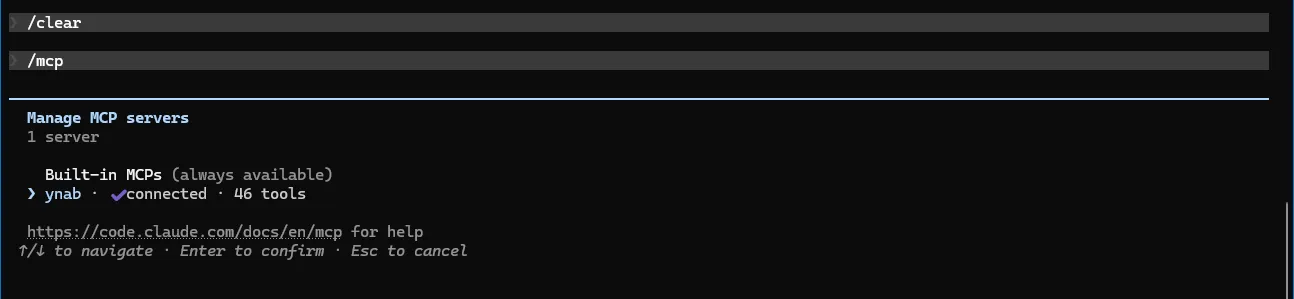
claude mcp add --transport http ynab https://<your-hostname>/mcpThen, in a session, run /mcp → Authenticate to do the browser OAuth login — you’ll log into
YNAB and choose read-only or full access. Re-run /mcp anytime to check status or re-authenticate.
Alternate: stdio + Personal Access Token
Section titled “Alternate: stdio + Personal Access Token”No server to run, but a single token stands in for your own login — the right trade when you’re the only person using this.
claude mcp add --transport stdio \ --env YNAB_TOKEN=your-personal-access-token \ --env YNAB_BUDGET_ID=last-used \ ynab -- npx -y @redlinelabs/ynab-mcpAdd -s user before ynab to make it available in every project instead of just the current one.
Env vars are scoped to the server process. See the Quick start for
where to get a token.
What it looks like
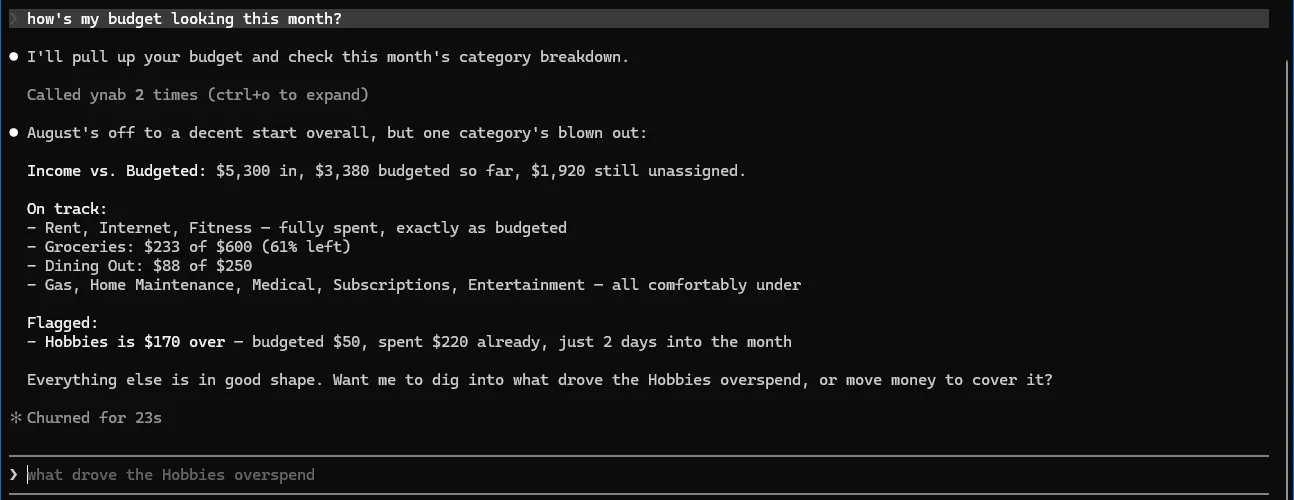
Section titled “What it looks like”Both captures below are real sessions against demo mode — a fictional budget, no credentials.